

November 2026 Update 1.0.3
The new Showcase window, rentable kill effects and custom target frames; mouse wheel and grass distance settings.
Showcase
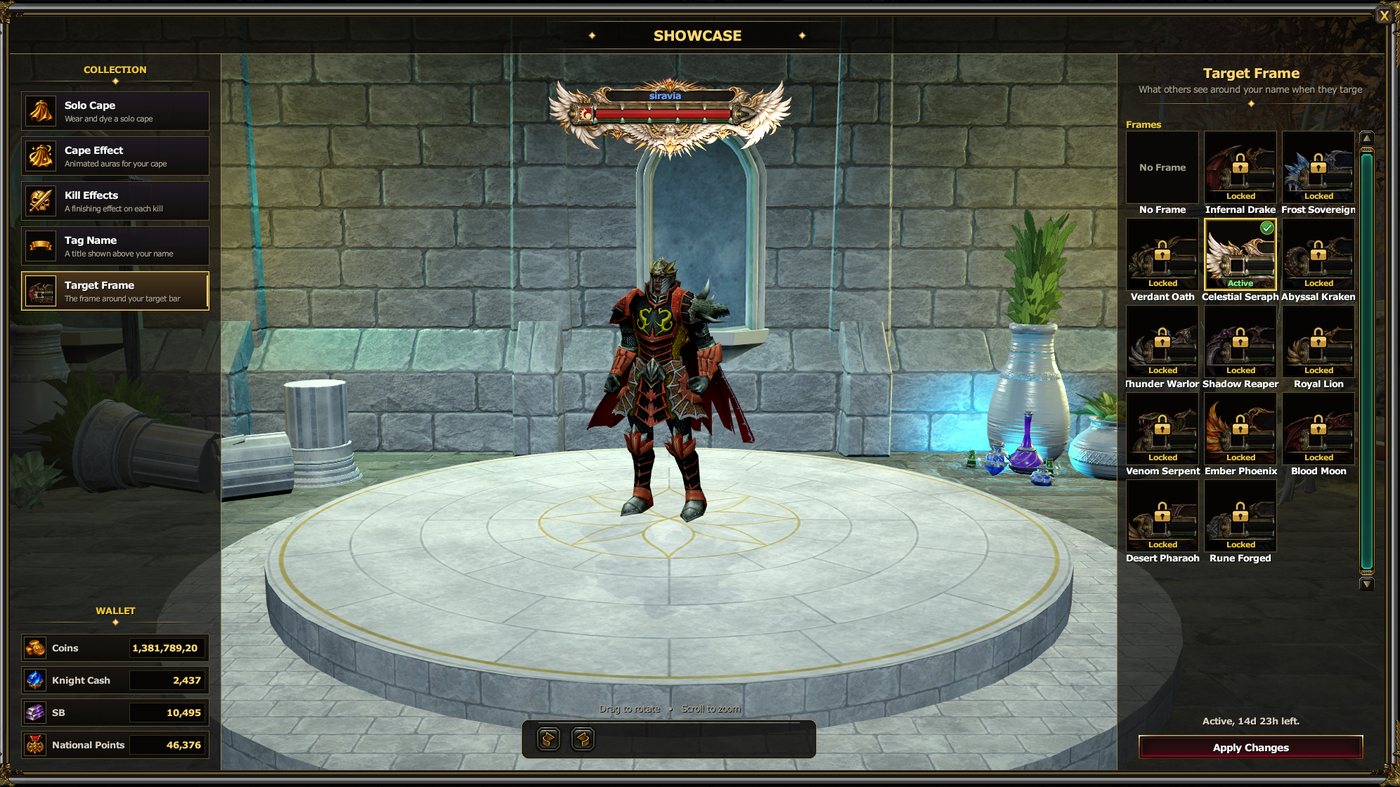
Your cape, cape effect, kill effects, tag name and target frame now live in one window. Open it with J or from Showcase in the bottom menu. Try anything on your character in 3D before you buy it.
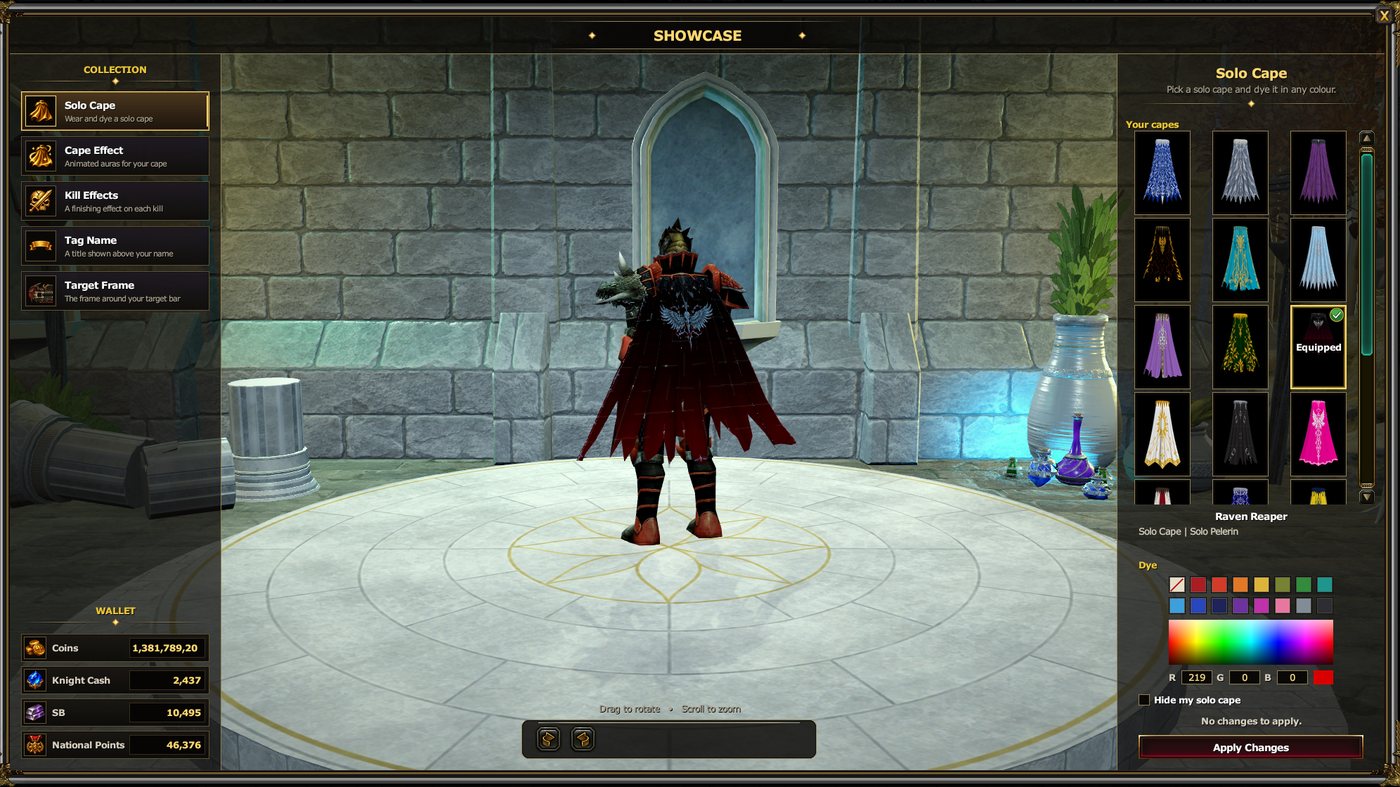
Collection: The sections on the left: Solo Cape, Cape Effect, Kill Effects, Tag Name, Target Frame.
Preview: Drag to rotate your character, scroll to zoom. Your pick shows on it at once.
Apply: Pick from the list on the right, see the price and term below, confirm with Apply Changes. Your Coins, Knight Cash, SB and National Points are shown at the bottom left.
Kill Effects
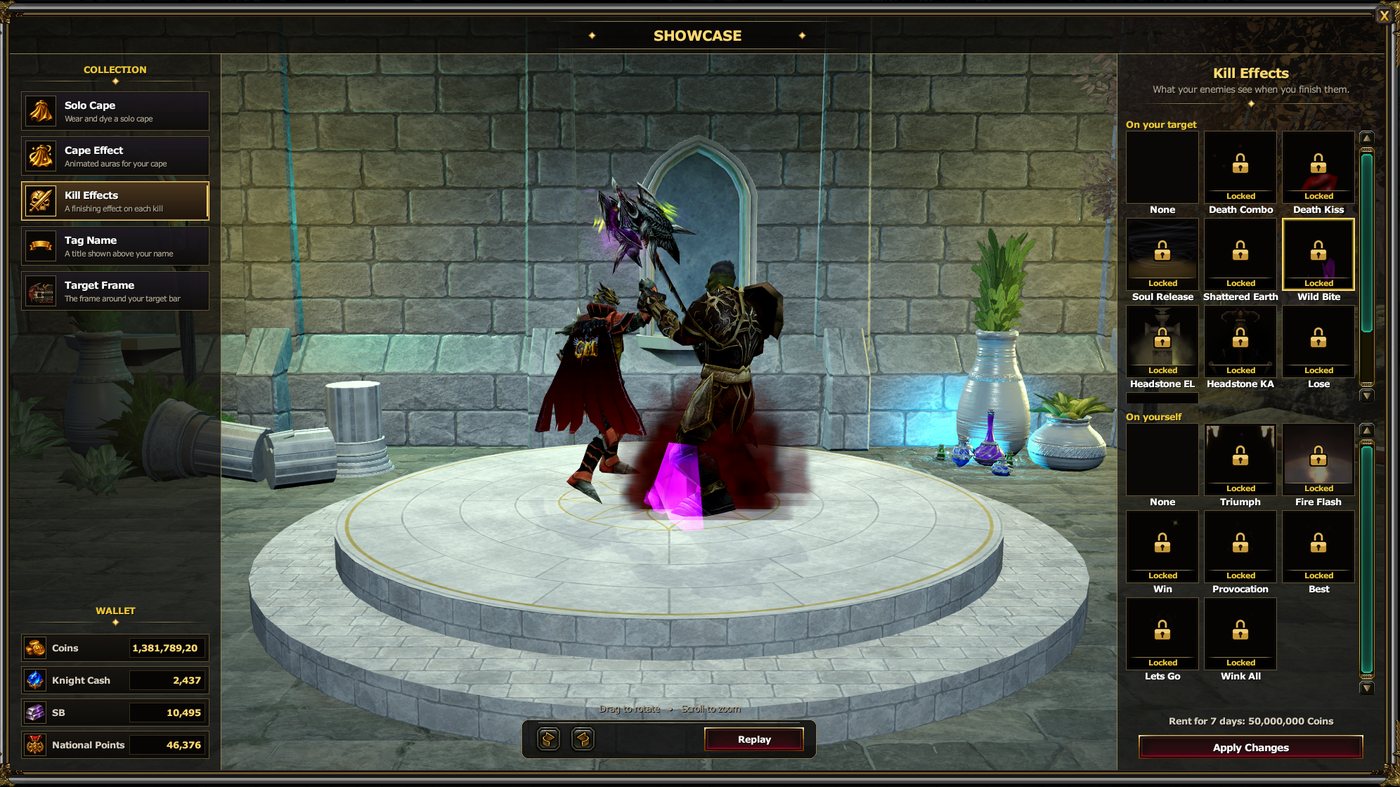
Special effects that play when you kill a player. There are two slots, and you can use both at once:
On your target: Plays on the player you killed (Death Combo, Soul Release, Headstone and more).
On yourself: Plays on you when you score the kill (Triumph, Fire Flash, Win and more). On a kill streak it plays once every few seconds.
Locked effects can be watched in the preview too; Replay plays them again.
Custom Target Frames
Everyone who targets you sees your name inside the frame you picked. There are 13 frames: Infernal Drake, Frost Sovereign, Verdant Oath, Celestial Seraph, Abyssal Kraken, Thunder Warlord, Shadow Reaper, Royal Lion, Venom Serpent, Ember Phoenix, Blood Moon, Desert Pharaoh, Rune Forged.
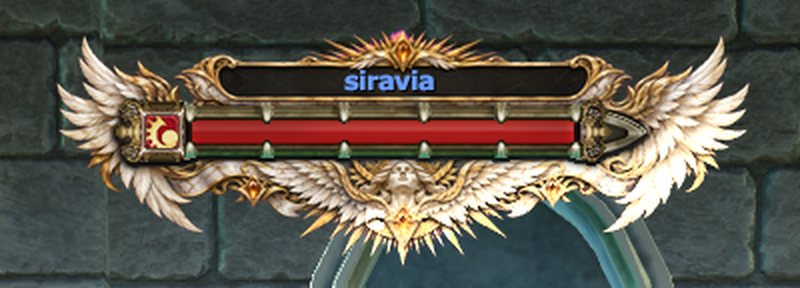
Your nation and rank marks still show inside the frame.
Each frame has a subtle animated light that fits its theme: drifting frost, a venom pulse, flickering flame and more.
One frame is worn at a time. No Frame brings back the standard rank bar. Zones that hide ranks show everyone the standard bar.
Rentals
Kill effects and target frames are never owned for good; each one is yours for the number of days shown in the list.
You can rent several effects or frames. Each one is yours separately, and each term starts when you bought it.
Buying a new one does not remove the others. The new one is equipped at once; switch between your active rentals for free.
The time left shows on each tile and below when selected. An expired rental comes off by itself; the same one cannot be rented again before it runs out.
New Settings
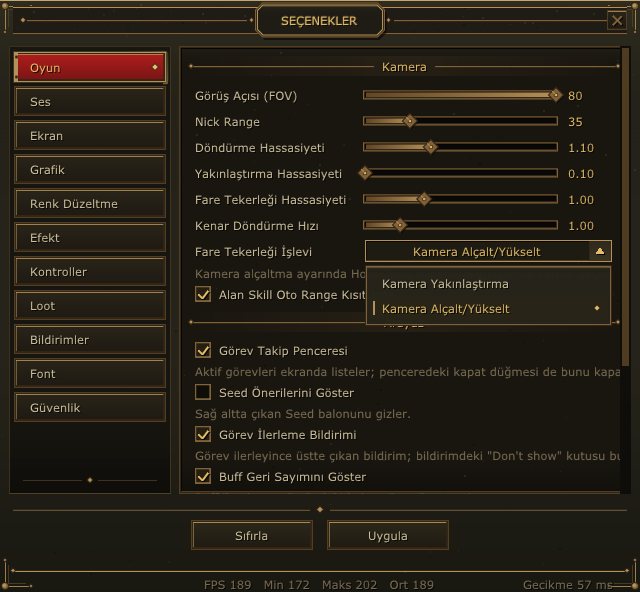
Mouse Wheel Action (Options > Game > Camera)
Camera Zoom (default): The wheel zooms the camera in and out.
Camera Lower/Raise: The wheel tilts the camera up and down; zoom moves to the Home / End keys. Tilting works in the third-person camera only.
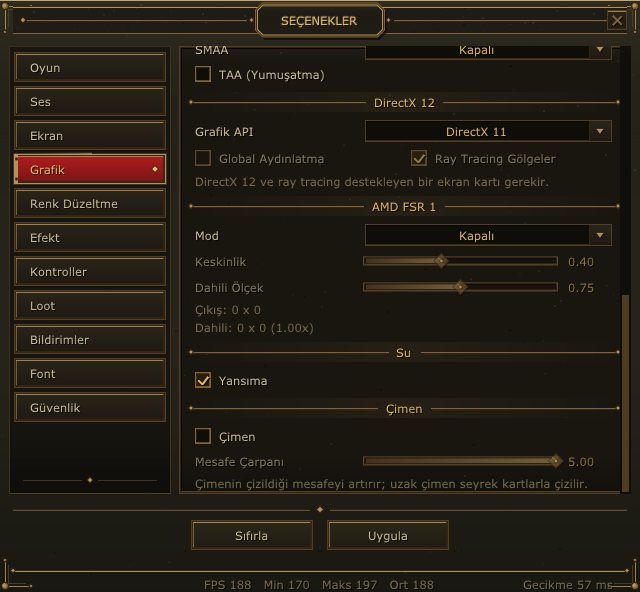
Grass Distance Multiplier (Options > Graphics > Grass)
Sets how far grass is drawn: 1.00 (default) to 5.00. Distant grass is drawn more sparsely.
High values can lower your FPS. The Grass box must be ticked for it to work.